CNC controls / Delem

Optional BENDRYX configurations

Four controls. Two clear decisions.

Choose the programming workflow: 2D or 2D + 3D. Then compare the S-series and T-series operator interfaces. We’ll confirm the right integration for your press brake.

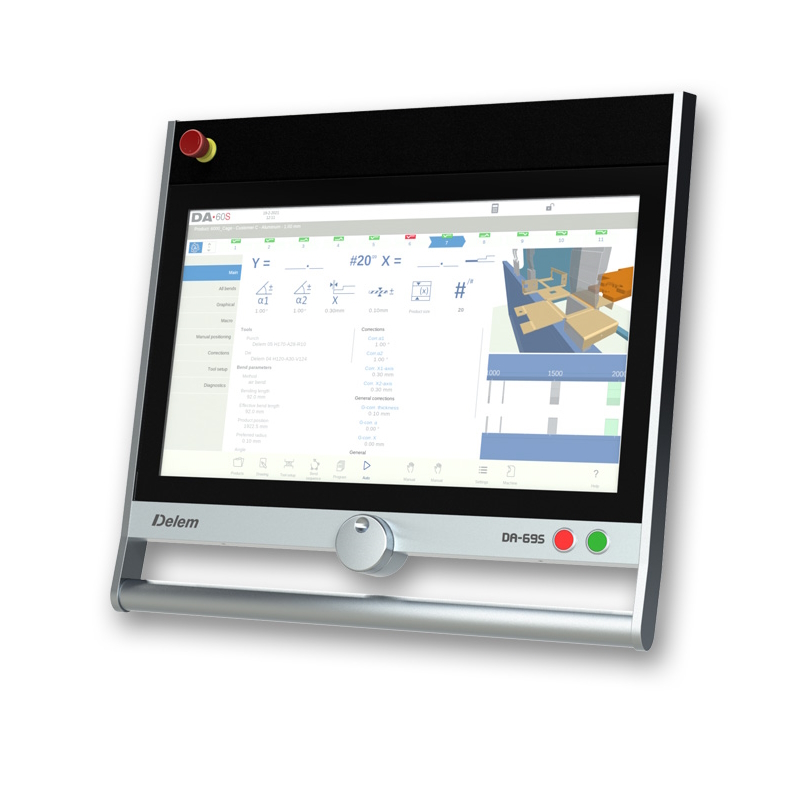
Delem DA-69S 24-inch CNC control

What changes between models?

In these four models, “66” means 2D part programming; “69” adds 3D part programming. Both families can support visual machine setup.

On smaller screens, swipe the comparison horizontally.

Delem DA-60 series comparison
FeatureDA-66SDA-69SDA-66TDA-69T
Display24″24″17″17″
Resolution1920 × 10801920 × 10801280 × 10241280 × 1024
Part programming2D2D and 3D2D2D and 3D
Touch interfacePCTPCTIR touchIR touch
Offline softwareProfile-S2DProfile-S3DProfile-TLProfile-T3D

A 3D machine view does not automatically mean 3D part programming. The exact control, offline software and optional interfaces should be named in your BENDRYX quotation.

DA-60S

A larger workspace for setup and production.

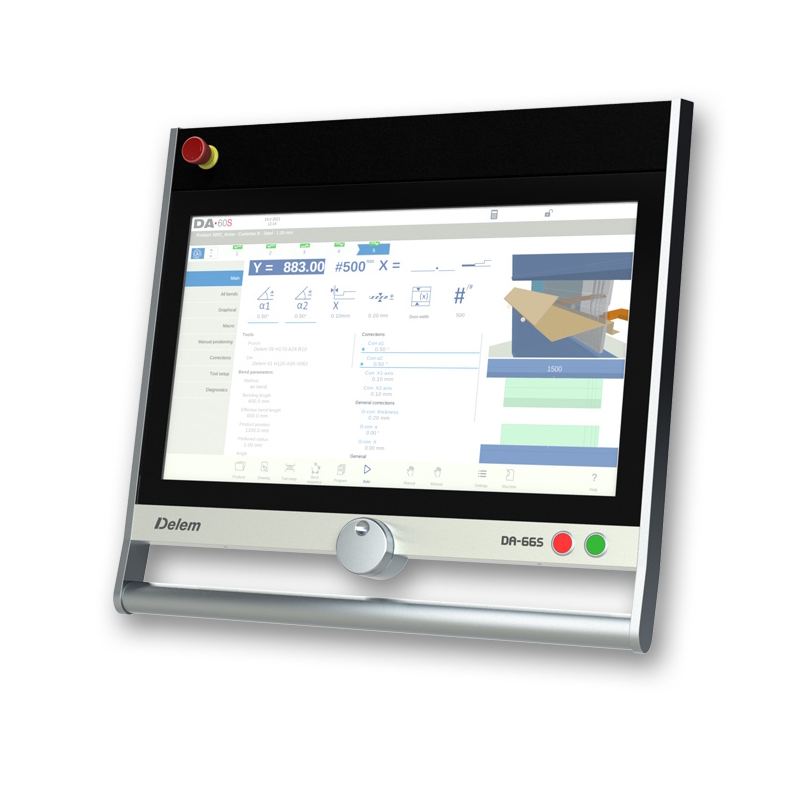
Delem DA-66S manufacturer controller photograph
2D programming · S series

DA-66S

For operators who build parts from a section view and want a large workspace for setup and production.

  • 24″ display · 1920 × 1080 pixels.
  • 2D touch programming, automatic bend sequencing and collision detection. Includes 3D machine representation; this is distinct from onboard 3D part programming.
  • Listed offline software: Profile-S2D.

View official DA-66S specifications →

Configure with DA-66S →
Delem DA-69S manufacturer controller photograph
2D + 3D programming · S series

DA-69S

For teams that need 3D part programming alongside a large view of multi-station setups.

  • 24″ display · 1920 × 1080 pixels.
  • 2D and 3D touch programming with automatic bend sequencing, collision detection and 3D machine representation in simulation and production.
  • Listed offline software: Profile-S3D.

View official DA-69S specifications →

Configure with DA-69S →

DA-60T

The DA-Touch programming environment.

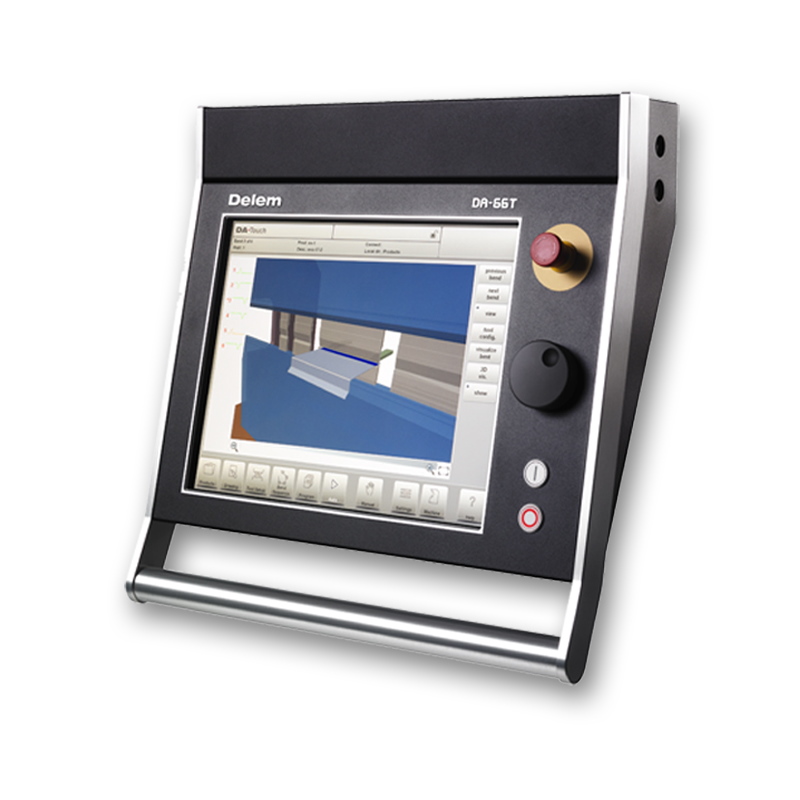
Delem DA-66T manufacturer controller photograph
2D programming · T series

DA-66T

For a shop evaluating a 2D workflow within the DA-Touch family, particularly alongside existing T-series equipment.

  • 17″ display · 1280 × 1024 pixels.
  • 2D graphical programming, automatic bend sequencing, collision detection and 3D machine setup. Uses an infrared touch interface.
  • Listed offline software: Profile-TL.

View official DA-66T specifications →

Configure with DA-66T →
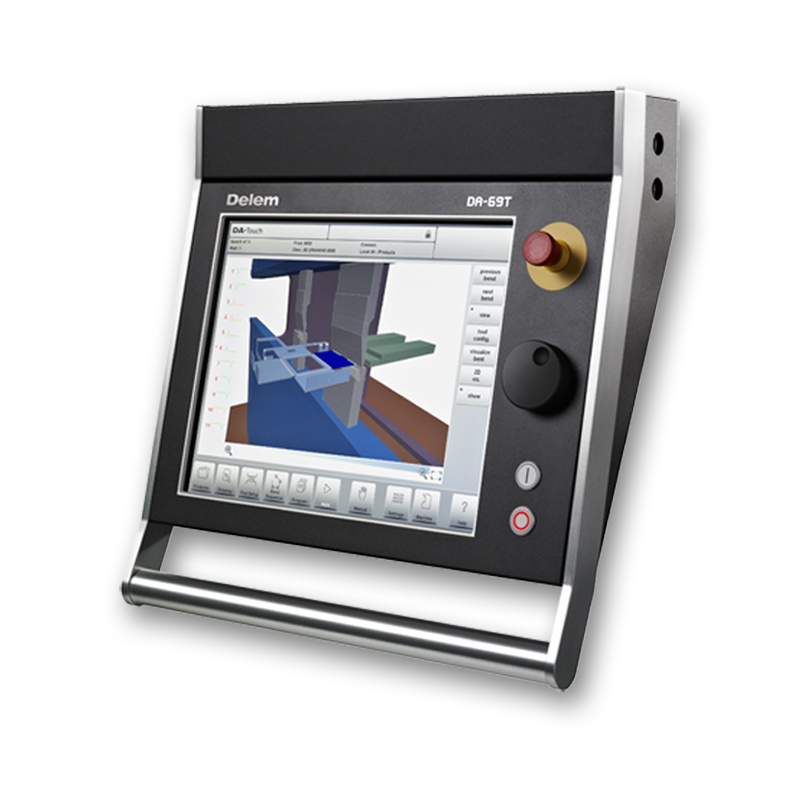
Delem DA-69T manufacturer controller photograph
2D + 3D programming · T series

DA-69T

For teams wanting 3D programming in the DA-Touch environment and a 17-inch operator interface.

  • 17″ display · 1280 × 1024 pixels.
  • 2D and 3D graphical programming with automatic bend sequencing and collision detection. Includes 3D visualization in simulation and production.
  • Listed offline software: Profile-T3D.

View official DA-69T specifications →

Configure with DA-69T →

What should your quote include?

Your actual parts

Show us simple profiles and your most difficult multi-bend part. Identify what you want to program on the machine versus in the office.

The complete machine

Specify the backgauge axes, tool stations, crowning and any angle-measurement system. A CNC interface alone does not supply these devices.

The software handover

Confirm the offline license, supported file formats, machine data, training and program-transfer method. Existing programs may need conversion and validation.

Product photography and technical references: Delem’s official model pages linked above. Selection guidance is BENDRYX’s interpretation of the listed features; final equipment and availability are confirmed per order.

Built around your parts

Choose the workflow. We’ll match the control.

Send your drawings, material, existing CNC preference and backgauge requirements. BENDRYX will confirm the controller, software options and machine integration in your quotation.